See it in action.
Every tool in VisOS is built for speed and clarity. Here's what working with your datasets actually looks like.
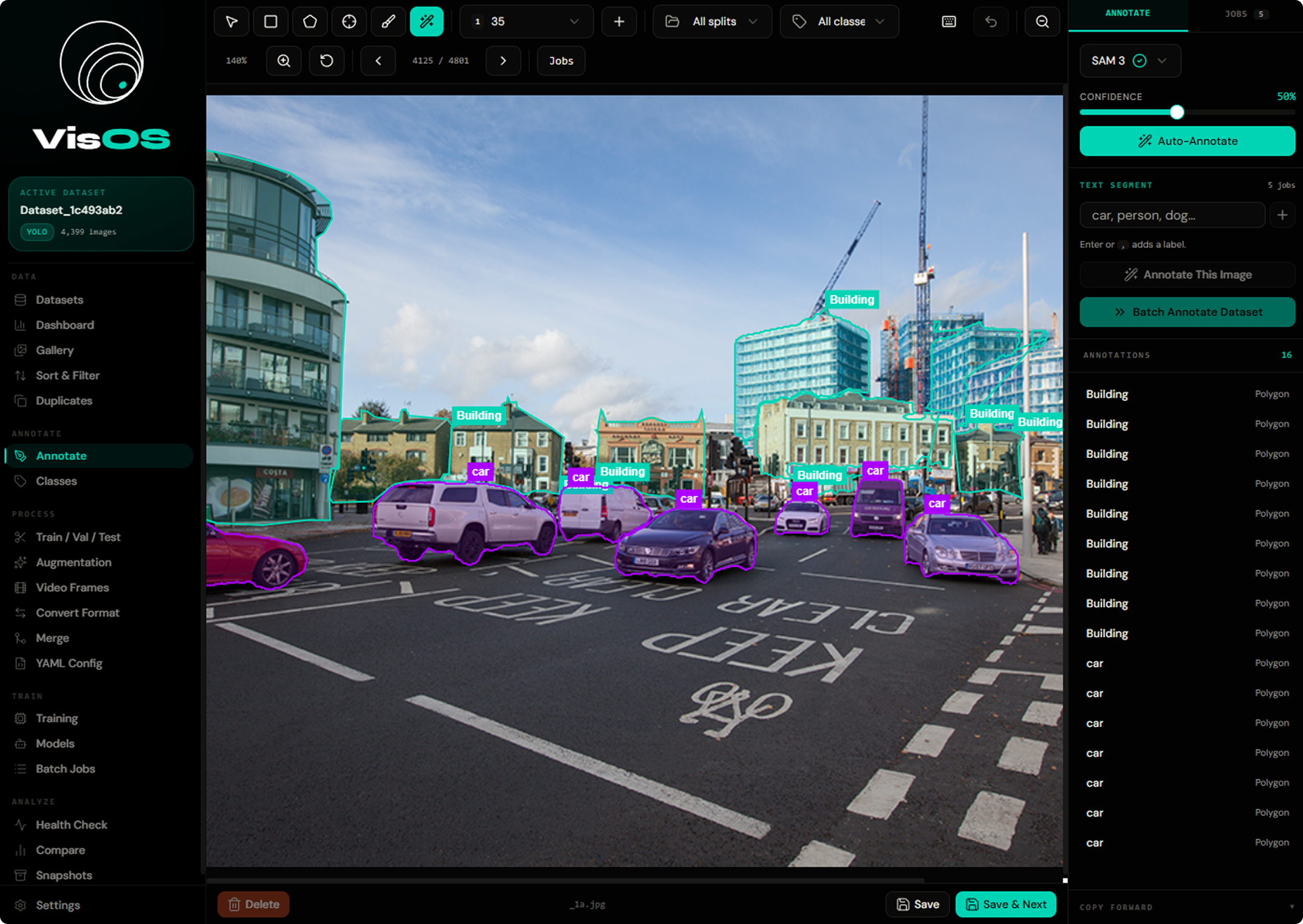
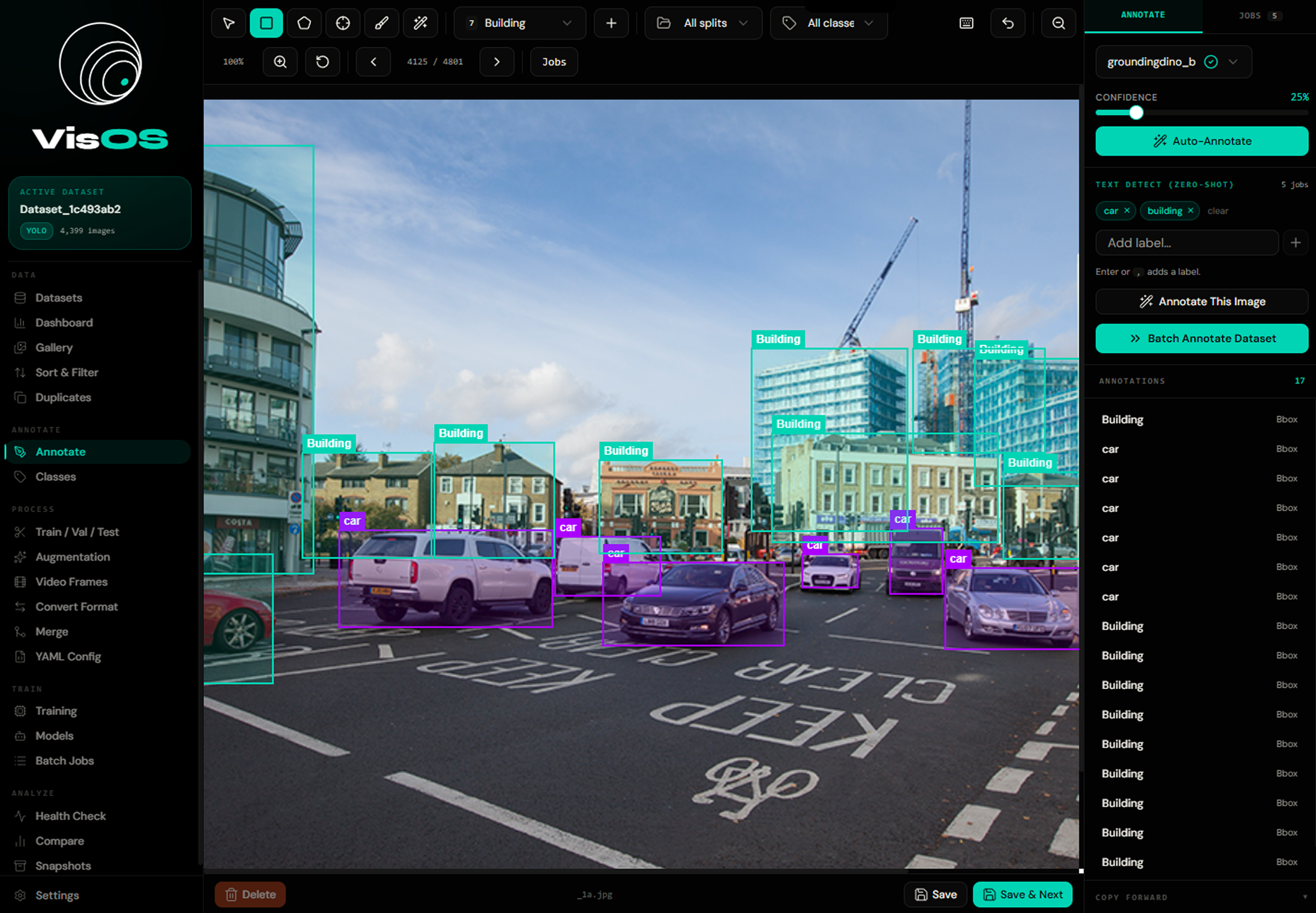
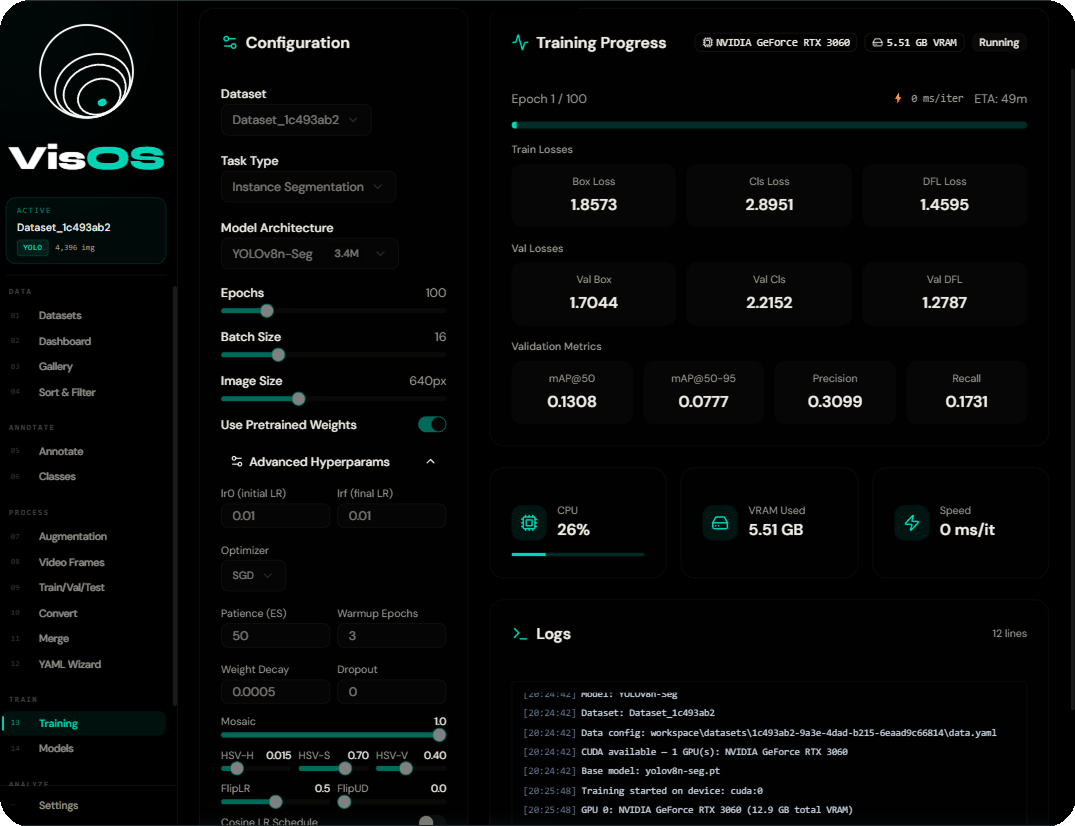
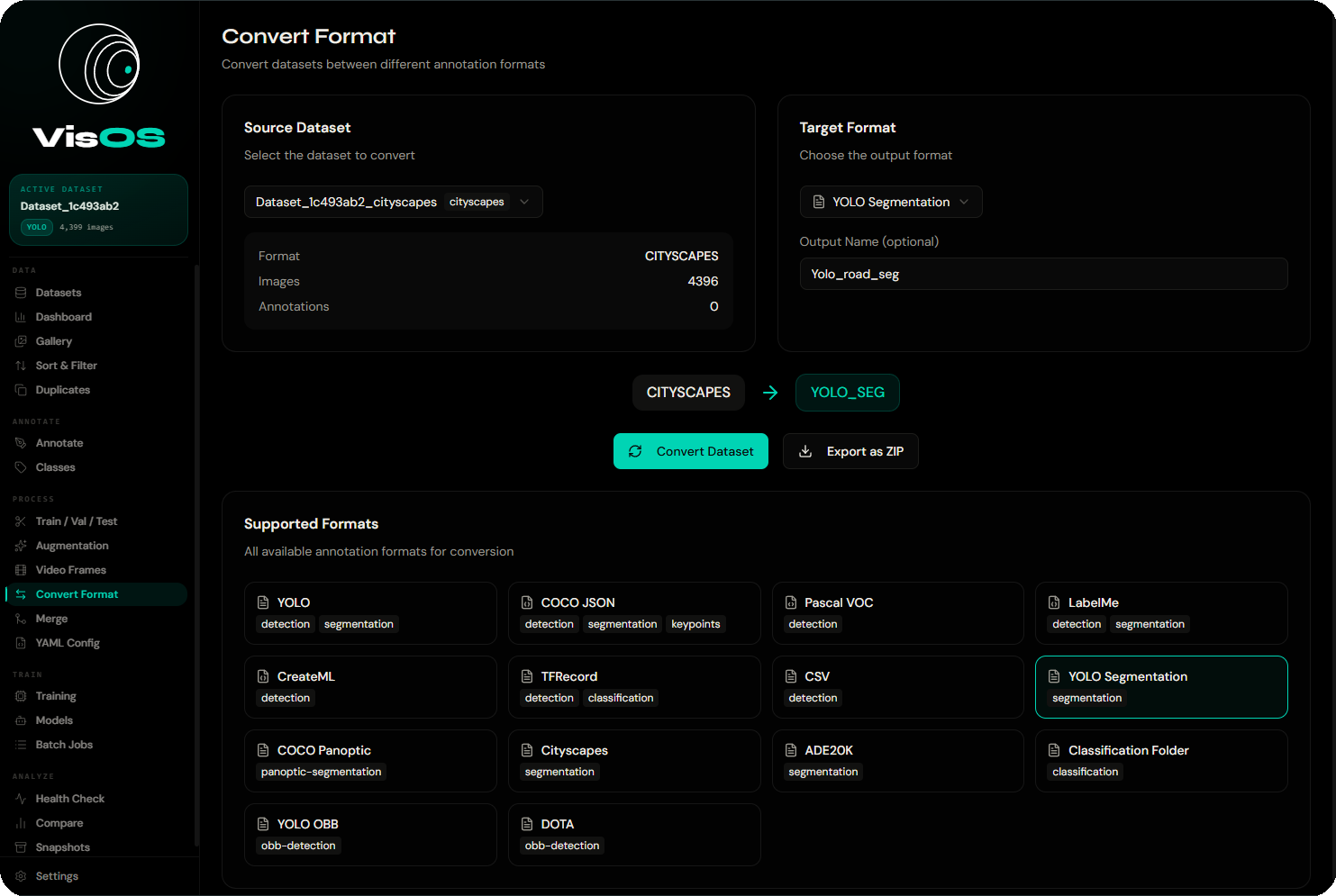
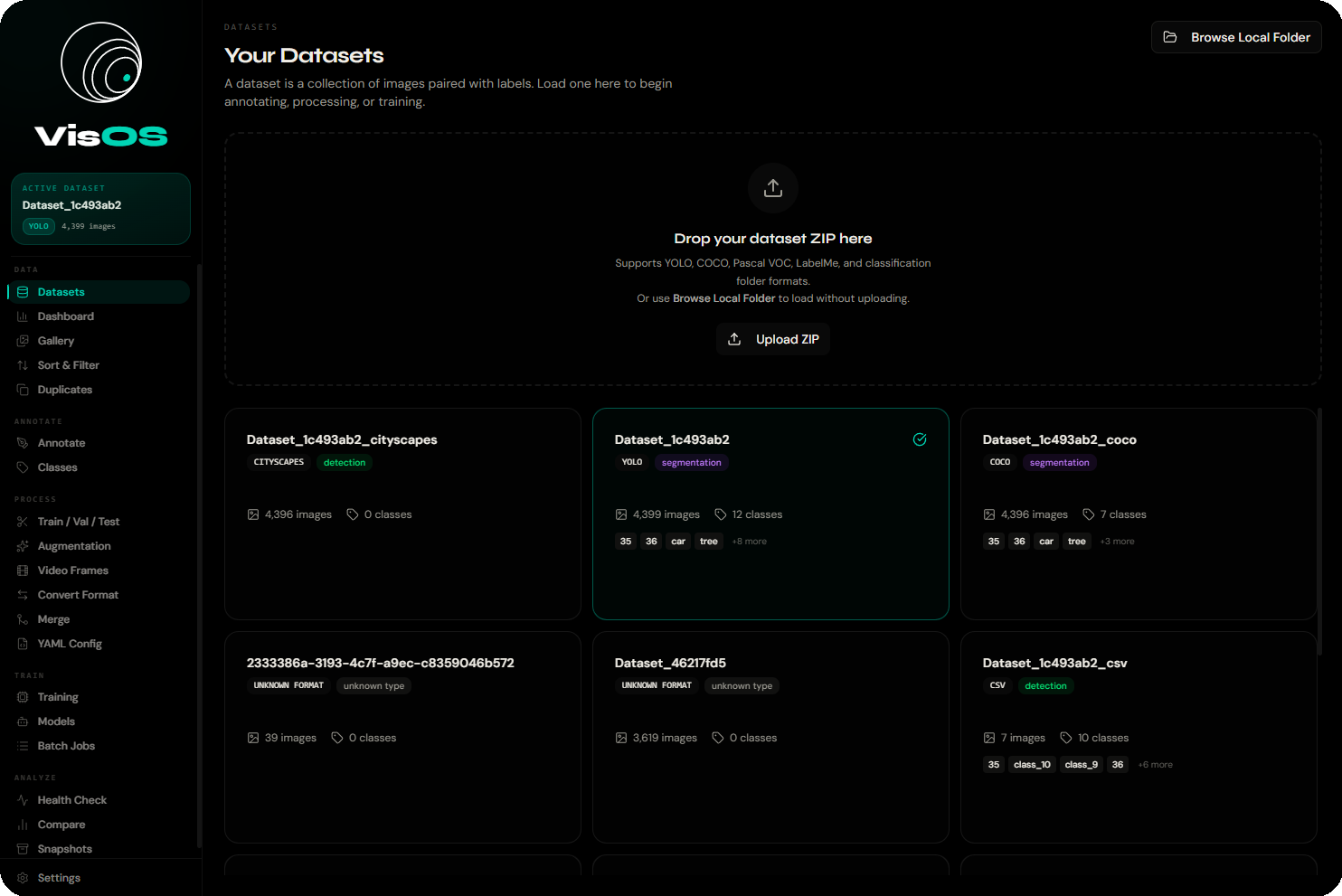
Load & export 13+ formats
Auto-detected on load. Convert to any other format with a single click.
SOTA models.
All local.
Download pretrained weights inside the app or import your own .pt / .onnx files.
Type a text prompt like "red car" or "person holding phone" — GroundingDINO annotates without any training examples.
Four methods, one interface
MD5 Hash
Exact byte-for-byte duplicates
pHash
Visually similar images
aHash
Fast approximate similarity
CLIP Embeddings
Semantically similar content
Built on three
unshakeable principles.
Everything in VisOS exists to serve one mission: give CV practitioners complete control over their data and models.
Total Privacy
Your images never leave your machine. No uploads, no cloud processing, no third-party servers. Medical, defense, and proprietary datasets stay where they belong.
Format Freedom
13+ annotation formats supported. YOLO, COCO, Pascal VOC, TFRecord — auto-detected on load, converted in one click. Never write another conversion script.
Zero Cost
No per-image pricing. No seat licenses. No export fees. VisOS is free and open source under AGPL 3.0. Your dataset budget goes to compute, not platforms.
Clean stack.
No Docker required.
FastAPI backend + Next.js frontend, managed by a single Python process controller. No containers, no environment variables, no configuration.
Frontend · :3000
Backend · :8000
localhost:3000 — never directly to port 8000. For remote GPU servers: ssh -L 3000:localhost:3000 -L 8000:localhost:8000 user@serverFull REST API.
Interactive docs included.
Base URL: http://localhost:8000/api · Interactive Swagger UI at /docs
| Resource | Endpoints |
|---|---|
| Datasets | GET /datasets · POST /load-local · POST /upload · DELETE /{id} |
| Images | GET /images · GET /{image_id} · PUT /annotations |
| Classes | POST /extract-classes · /delete-classes · /merge-classes |
| Conversion | POST /convert · POST /merge · GET /formats |
| Augmentation | POST /augment-enhanced |
| Video | POST /video/extract |
| Duplicates | POST /find-duplicates · /remove-duplicates |
| Models | GET /models · POST /download · POST /import · POST /{id}/load |
| Auto-Annotate | POST /auto-annotate · GET /jobs |
| Training | POST /start · GET /{id}/status · /pause · /resume · /stop |
| System | GET /health |
import requests

response = requests.post(
    "http://localhost:8000/api/training/start",
    json={
        "dataset_id": "my-dataset",
        "architecture": "yolov8n",
        "task": "detect",
        "epochs": 100,
        "batch_size": 16,
        "imgsz": 640,
        "export_format": "onnx"
    }
)
job = response.json()
# Poll: GET /training/{job["id"]}/status
requests.post(
    f"http://localhost:8000/api/datasets/{id}"
    "/auto-annotate",
    json={
        "model_id": "groundingdino-base",
        "prompt": "hard hat . safety vest",
        "confidence": 0.35
    }
)
Up and running in 3 steps
Prerequisites: Python 3.10+ and Node.js 18+. First run takes 2–5 min while PyTorch downloads (~1.5 GB).
Get the code
Clone the repository from GitHub. No submodules, no monorepo complexity.
git clone https://github.com/Dan04ggg/VisOS.git && cd VisOS
Launch everything
One command creates the virtualenv, installs all deps, starts both servers, and opens your browser.
python3 run.py restart
Load your dataset
Point VisOS at a local folder or ZIP. Format is auto-detected. Start annotating immediately.
→ http://localhost:3000
Full control over both processes
python3 run.py start           # Start both servers
python3 run.py stop            # Stop cleanly
python3 run.py restart         # Full restart
python3 run.py restart-back    # Backend only
python3 run.py restart-front   # Frontend only
python3 run.py status          # Show PIDs and ports
python3 run.py logs            # Tail live output
Troubleshooting & Tips
Common issues and how to fix them fast.
"Backend not connected"
Python failed to start. Check .logs/backend.log. Common causes: Python < 3.10, port 8000 in use, missing OpenCV system dependency.
First startup hangs
Normal — PyTorch is large. Check .logs/backend.log to watch pip progress. Allow 2–5 minutes on first run.
"Dataset format not recognized"
Auto-detection looks for specific files (data.yaml, instances_train.json, Annotations/*.xml). Match the folder structure exactly.
OOM during training
Lower batch size (try 4–8), reduce image size to 320, or switch to a smaller arch like yolov8n. Check VRAM with nvidia-smi.
Port still in use after crash
Run python3 run.py stop. macOS/Linux fallback: lsof -ti:3000 | xargs kill -9. Windows: netstat -ano | findstr :3000.
Blank frontend / 500 error
Run npm install manually in the project root, then python3 run.py restart-front.
ssh -L 3000:localhost:3000 -L 8000:localhost:8000 user@serverCV datasets today.
No sign-up. No cloud. No credit card. Clone, run, and own your entire computer vision pipeline from day one.